cropper
update
Renwick Evans and Associates
update
  • Blog Home
  • Categories
    • Startup Launch Guidance
    • Cash Flow, Funding & Capital Strategies
    • Business Operations, challenges & Solutions
    • Merchant Processing & Payments
    • Business Marketing That Works
    • Business Growth & Scaling
    • Business Consulting Insights
    • Compliance & Risk Management
  • Home
May 29.2026
1 Minute Read

POS vs Mobile Payments for Small Business Startups

small businesses implemented a POS system in their first year—double the adoption rate from four years ago? Join us as we uncover what’s driving this seismic shift, and why choosing the right payment solution could make or break your startup’s success

A Surprising Statistic: The Rapid Rise of POS Systems for Startups

The surge in POS systems for startups is staggering. According to recent industry research, more than two-thirds of new small businesses now launch with a dedicated point of sale system in place. This rapid acceleration is fueled by the need for efficient payment processing, real-time inventory management, and customer-centric features that traditional registers simply can’t provide. If you’re launching a retail business or any consumer-focused startup, the right business POS can drive faster growth, help avoid costly errors, and support modern payment needs like tap to pay and digital receipts out of the box.

But is a full-featured POS system always the best choice—or can mobile payment solutions meet your needs just as well?

Tech startup team discussing POS systems for startups in a modern retail space, natural daylight, photorealistic, sleek payment terminal in use.

Why POS Systems for Startups Are Becoming Essential

The modern small business landscape is competitive and digitally driven. Today’s consumers expect quick, seamless transactions—whether that means swiping a card, using contactless payments, or leaving with a digital receipt seconds after a tap. POS systems offer more than mere transaction functionality; they form the technological hub for a small business pos strategy, integrating payments, inventory, loyalty programs, and customer profiles—all within one comprehensive platform.

With this integration, startups can automate back-end tasks, reduce human error, and focus energy where it counts: on customer service and business growth. The ease of adding new sales channels, tracking customer behavior, and accessing analytics allows even young businesses to make data-driven decisions that once required a team of analysts. If the goal is to punch above your weight in customer satisfaction and operational performance, investing in a robust point of sale system is quickly becoming a must—not a luxury.

How Small Business POS Adoption Outpaces Industry Predictions

Industry experts forecasted a steady, gradual increase in POS system penetration among startups. Yet, reality shattered those expectations. Agile tech vendors, affordable subscription pricing, and the proliferation of free POS options have all contributed to a scenario where small businesses now lead the way in digital payment transformation, outstripping larger companies in POS adoption growth rates.

Driving this trend is the urgent need for real-time data and streamlined payment processing. Startups need insights on their best-selling products, customer habits, and up-to-date sales report dashboards for immediate action. POS systems designed for startups now outpace heavy, legacy solutions in both user-friendliness and functionality, closing the gap between startup ambition and enterprise-grade capability. This trend isn’t just about technology—it’s about survival in a fast-moving market.

As you weigh the pros and cons of POS systems versus mobile payment solutions, it's also important to consider how your payment setup can support broader business goals. For a deeper dive into building a resilient foundation for your small business, explore these guidance strategies for strengthening your business from the ground up.

What You’ll Learn: Your Guide to POS Systems for Startups and Mobile Payments

  • Key differences between POS systems and mobile payments for small businesses

  • How to choose the right point of sale solution for startups

  • Must-have business POS software features for efficient payment processing

  • Pros and cons for small businesses adopting POS systems or mobile-only solutions

  • Expert advice and industry stats to make an informed decision
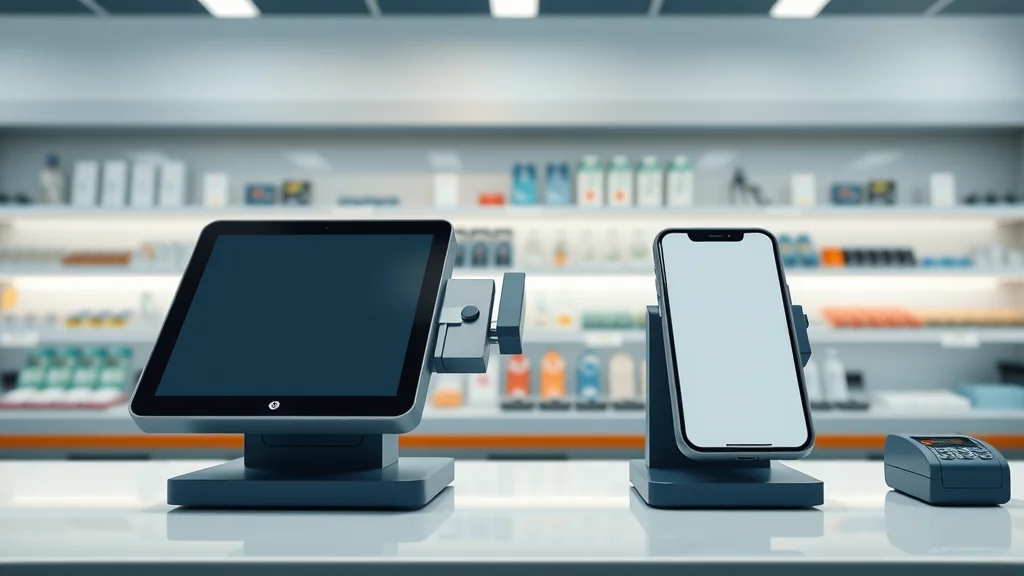
Comparison of POS system and mobile payment device on a store countertop for small business, modern and photorealistic.

An Introduction to POS Systems for Startups

What Is a POS System and Why Is It Critical for Small Business?

A POS system—short for point of sale—is the combination of hardware and software that lets businesses accept payments, process transactions, and manage sales. For startups, a robust business pos platform does much more: it serves as the control center for all business transactions, from in-person payments to managing sales reports, inventory tracking, and customer profiles. Modern POS software is cloud-based, intuitive, and scalable, removing many manual steps that otherwise slow down small business operations.

Why is this so critical for a small business? Because mistakes at the checkout—missed transactions, stock errors, or incomplete customer data—cost not just money, but reputation

Mobile Payments vs. Traditional Point of Sale for Startups

Mobile payments bring agility to the table. Startups can quickly set up a card reader on a smartphone or tablet, download an app, and accept payments instantly—anywhere. This is ideal for pop-ups, markets, and service businesses on the go. However, the trade-off is often a lack of advanced tools. Most mobile payment solutions focus on simple transactions, leaving out comprehensive inventory management or cross-channel analytics that are built into full-featured point of sale systems.

The decision comes down to your current needs vs. future plans. If you’re scaling quickly or operate multiple locations, a mobile solution may fall short as complexity grows. POS systems for startups are designed to be scalable, integrating with other business tools and offering richer reporting and customer engagement options, making them a preferred choice as you move beyond your very first sales.

Comparing POS Systems for Startups: POS vs Mobile Payments

1. POS System Features: What Small Businesses Need

The best pos systems for startups go beyond simply recording transactions. Must-have pos features include real-time inventory management, advanced customer profiles, and multi-channel payment options—including chip, swipe, contactless, and digital wallet compatibility. Built-in sales reports provide business owners with daily insights, while integration capabilities let your POS sync to e-commerce, accounting, or marketing software. Inventory alerts and auto reorder make stock-outs a rarity and keep operations running smoothly.

These systems also offer integrations with loyalty programs, allowing you to recognize repeat customers and reward them on the spot—critical for building brand loyalty from day one. Modern business pos platforms are designed with startup needs in mind, offering flexible pricing models (including some with $0 upfront cost), cloud backups, and easy onboarding so even a solo entrepreneur with limited tech know-how can hit the ground running.
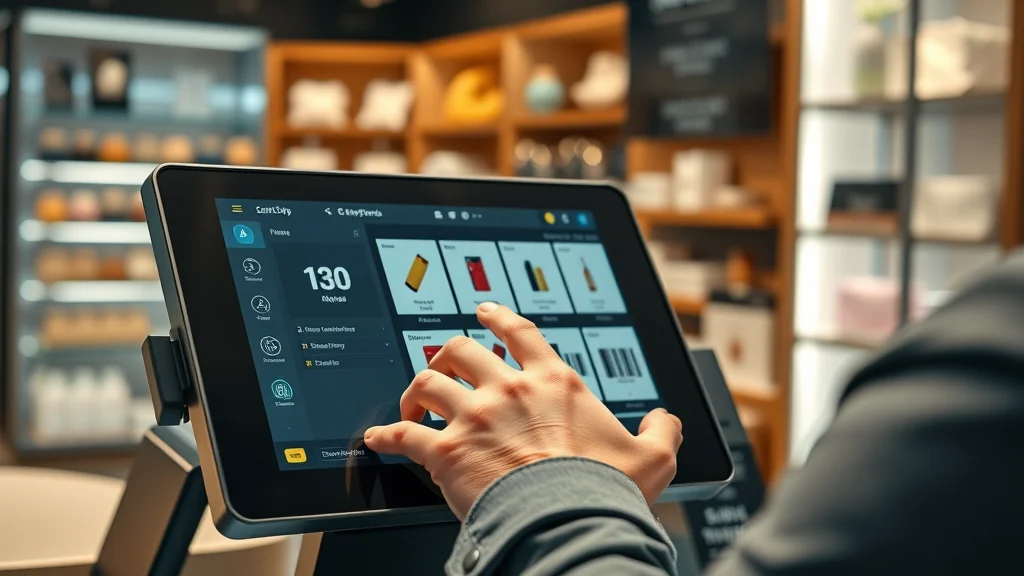
Close-up of modern POS software interface for startups, with owner

2. Payment Processing Options in POS Systems for Startups

Payment flexibility is at the heart of every solid pos system. Today’s small businesses must be able to accept payments via credit, debit, mobile wallet, and contactless methods. Leading POS systems for startups typically partner with integrated processors, ensuring fast, secure transactions at the counter, online, or using tap to pay at events. Transparent processing fees and easy contract terms are hallmarks of new-age POS vendors, empowering startups to avoid hidden costs and complex agreements that can eat into their margins.

Choosing a POS with support for multiple sales channels (in-store, online, curbside pick-up, or delivery) and unified payment reconciliation is key for startups ready to scale. Look for features like instant payout, integrated card readers, and a clear view into sales reports by channel—all critical advantages over piecemeal mobile payment setups, especially when you’re growing fast.

3. Business Owner Perspectives: POS Software and Customer Experience

From a business owner’s viewpoint, the customer journey doesn’t end at the payment terminal—it starts there. Modern pos software platforms enable custom receipts, fast refunds, personalized discounts, and seamless loyalty sign-ups. They also support empowering staff across your business, ensuring everyone can deliver the top-tier customer experience that sets small businesses apart from chains. With centralized dashboards, owners track every sale, staff member, and inventory unit—even remotely—giving granular control over the entire operation.

Features like touchscreen terminals, integrated ticketing for service-driven businesses, and data-enriched customer profiles allow startups to create memorable interactions, boost return rates, and build valuable brand advocates early. A well-implemented POS can turn run-of-the-mill transactions into loyalty-building moments—something basic mobile payment apps usually can’t deliver.

4. Inventory Management and Tracking for Startups

Accurate, automated inventory management is a superpower for startups. The right pos system enables inventory tracking at every step, with alerts for low stock, real-time sync across sales channels, and even auto-ordering for top-selling items. This means less time spent counting products and more time focusing on growth. For businesses transitioning from pop-ups to retail locations, modern POS platforms eliminate errors between digital and physical storefronts—a critical edge in today’s omnichannel world.

With integrated barcode scanning, intuitive dashboard views, and mobile alerts, startups can stay on top of their stock from anywhere. Advanced pos features like demand forecasting, customizable product variants, and returns tracking help startups optimize purchasing decisions and maximize profitability, freeing you from the chaos of manual spreadsheets.

Retail stockroom scene with inventory manager using tablet for barcode scanning and inventory tracking for startups, bright and photorealistic.

5. Loyalty Programs and Customer Profiles for Small Businesses

Building a repeat customer base is vital for early-stage small businesses. POS systems allow startups to launch loyalty programs from day one—tracking customer purchases, offering points, and delivering targeted rewards automatically. These programs turn one-time visitors into return customers and provide invaluable insights via rich customer profiles that tell you who buys, when, and why.

With every sale, a modern point of sale system logs customer data securely, making it easy to send email offers, introduce new products, or thank VIP clients. Personalized receipts, birthday rewards, and purchase history analytics help foster genuine relationships at scale—a major upgrade from anonymous, cash-based transactions or basic mobile payment receipts.

6. Security and Fraud Prevention: Mobile Payments vs POS Systems

Security can make or break customer trust for a new startup. POS systems for startups now offer end-to-end encryption, tokenized transactions, and even biometric access options, safeguarding both business owner and customer info. Features such as automatic updates and real-time fraud monitoring are standard, far surpassing many standalone mobile payment apps.

Mobile payment solutions also leverage bank-level security and benefit from frequent app updates. However, startups relying solely on lightweight apps may face gaps in data monitoring, chargeback protection, or compliance with evolving PCI standards. For businesses handling higher transaction volumes or storing substantial customer data, full-featured POS systems offer a higher level of trust and resilience against threats.

Diverse startup team using biometric authentication at POS and mobile devices in a secure payment workspace, photorealistic, modern technology focus.

7. Free POS System Solutions and Alternatives for Startups

If your budget is tight, great news: many top pos systems offer free POS system versions with no upfront hardware cost and $0 monthly fee for basic usage. Square, PayPal Zettle, and Shopify all provide options ideal for startups, letting you take payments and monitor sales with just a smartphone or tablet. Some free solutions limit advanced features (like detailed sales reports or full inventory management), but you can always upgrade as your business grows.

For pop-up shops or service-based startups needing only simple payment processing, free mobile payment solutions with attached card readers offer everything needed to get started—no heavy investments or contracts required. Just watch for processing fees on every swipe or tap, as those costs add up quickly as sales climb.

8. Cost Analysis: POS Systems vs Mobile Payment Costs for Startups

Cost is a top consideration for any new business. Most pos systems for startups offer subscription pricing—from $0/mo for basic setups to around $100/mo for advanced inventory and reporting. Hardware costs (registers, tablets, or barcode scanners) are often a one-time investment, though cloud-based POS setups minimize these upfront expenses.

Mobile payment solutions trim costs by utilizing your smartphone or tablet, but typically charge per-transaction fees—usually 2.6% + 10¢ per swipe or tap. For low transaction volume, this may be cost effective, but as you grow, full-featured POS systems with flat monthly fees and deeper integrations often become the better long-term value. Always compare both processing fees and feature sets to make the right call for your small business.

9. Scalability: Can POS Systems Grow with Your Small Business?

If you’re planning to expand—adding multiple locations, new product lines, or staff—a scalable business pos solution is essential. The most popular pos systems today are built to grow with you, supporting everything from additional registers to advanced reporting, employee management, and loyalty marketing at scale.

By contrast, basic mobile payment setups can quickly hit feature or transaction limits once your business accelerates. Invest early in a POS platform with proven scalability and you’ll avoid disruptive migrations or lost data down the road—keeping your business future-ready from day one.

Expanding small business startup adding new POS systems in a retail shop, boxes and new terminals in photorealistic detail.

10. Real Startups: Success Stories Using POS Systems

Hundreds of successful startups credit the right pos system for fueling their growth. From micro-boutiques in downtown neighborhoods to local coffee chains and pop-up markets, business owners regularly report that adopting an integrated POS solution led to faster checkouts, improved inventory tracking, seamless expansion to online sales, and higher customer retention thanks to built-in loyalty programs.

Entrepreneurs emphasize the power of “knowing the numbers.” With real-time sales reports and accurate customer profiles, they spot trends and act on opportunities that would have been invisible with a basic mobile payment processor or old-school cash register. No wonder POS adoption continues to surge among growth-focused startups.

List: Top 7 POS Systems for Startups in 2024

  1. Square POS System for Small Businesses

  2. Lightspeed POS for Startups

  3. Shopify POS for Online and In-Person Retailers

  4. Clover POS Systems for Startups

  5. Toast Point of Sale for Small Businesses

  6. PayPal Zettle Mobile POS

  7. Vend POS System for Startups

Top seven POS devices for startups in 2024, displayed on pedestals against a bright tech background, hero shot.

"Choosing the best POS system for your small business means balancing cost, features, and support. Startups need flexibility and reliability above all." — Retail Tech Expert

Table: Comparing Key Features—POS Systems vs Mobile Payments

Feature

POS System

Mobile Payments

Payment Processing

Integrated, wide range of options, chip/swipe/tap, online & in-store

Card reader or phone tap; limited advanced options

Inventory Management

Advanced, real-time sync, multi-location support

Basic or not included

Loyalty Program

Built-in or easily add-on, track points/rewards

Generally not included

Hardware Needs

Terminal, barcode scanner, receipt printer, sometimes mobile devices

Smartphone/tablet plus mobile reader

Cost

$0–$100/mo + processing fee

Usually no monthly fee, pay only per transaction

Scalability

Supports business growth, multiple users/locations

Limited to simple setups

Customer Experience

Rich receipts, loyalty, fast checkout, custom offers

Simple payment, limited personalization

Security

High (encryption, compliance, data controls)

Good, varies by provider, some limitations

Business Owner Support

24/7 support, knowledge base, training

Online support; live help varies

Free POS Options

Available with limited features

Most are free to start

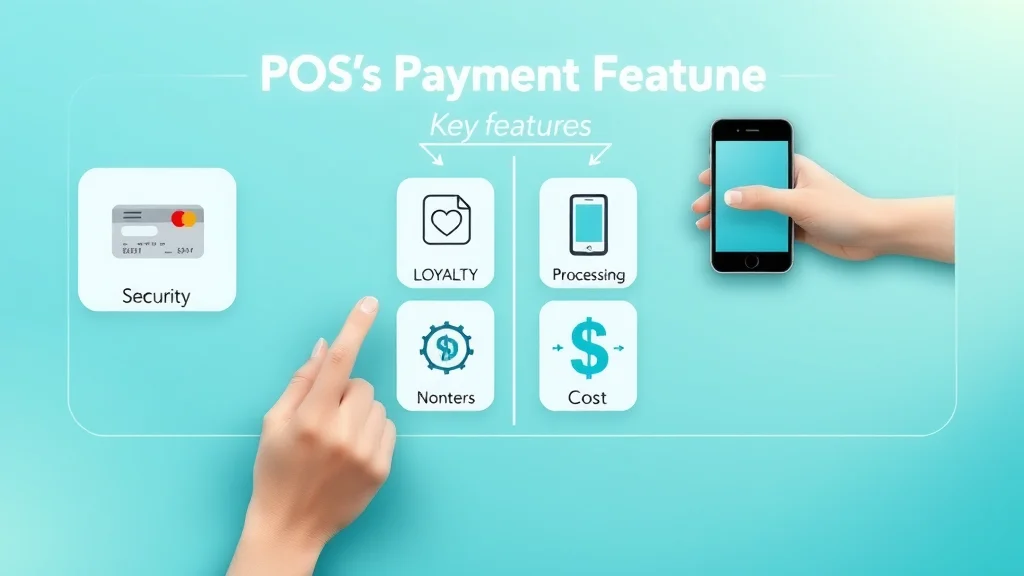
Infographic comparing POS systems and mobile payment features for startups, icons for security, loyalty, cost, and hardware.

List: Mobile Payment Solutions for Small Businesses

  • Stripe Terminal

  • Square Reader

  • Shopify Tap & Chip Card Reader

  • PayPal Here

  • SumUp Air

Entrepreneur using mobile payment card reader attached to smartphone in a bright café, accepting card and printing receipt.

Expert Insights: Small Business Owners on POS Systems for Startups

What Business Owners Value Most in Small Business POS Systems

In surveys, business owners repeatedly praise the simplicity and reliability of modern pos systems for startups. Top priorities include intuitive interfaces, quick staff training, wide payment acceptance (chip, swipe, contactless), as well as effortless integration with inventory, accounting, and loyalty tools. Owners also note that strong customer support and on-demand help can make all the difference when facing technical hiccups.

The value of centralized control—unifying online, in-store, and mobile sales—ranks highly, especially for startups juggling multiple sales channels. On the mobile payment side, business owners highlight convenience for remote or field sales, though many plan to move to a more feature-rich POS as their needs mature.

Lessons Learned from Startups Using POS Systems and Mobile Payments

Early adopters wish they had invested in scalable pos software from the outset. Reasons include the hassle of switching systems mid-growth, loss of valuable customer data, and integration headaches when adding e-commerce or other business tools. Successful startups emphasize testing multiple platforms and starting with a system that exceeds—not only meets—current needs, especially if expansion is on the horizon.

For service-only or pop-up ventures, a mobile payment solution can work beautifully, at least initially. But even here, the most ambitious founders often upgrade to a robust point of sale system for a better blend of analytics, inventory management, and customer engagement.

How to Decide: POS System or Mobile Payments for Your Startup?

Assessing Your Startup’s Needs: Inventory, Customer Experience, and Growth

Do you need to track inventory in real-time, run multiple locations, or manage a growing customer base? If so, a full-featured pos system is almost always the smarter choice

If you run a mobile business with simple, low-volume transactions—say, at markets or for local services—mobile payments offer big convenience and minimal setup. But always keep an eye on your next stage of growth. Choose a platform with room to upgrade if your startup takes off fast.

Tech Requirements: POS Hardware and POS Software for Small Businesses

Take stock of the pos hardware you’ll need: counter terminal, barcode scanner, receipt printer, or simply a smartphone and mobile reader. Consider durability, portability, and integration with your pos software. For brick-and-mortar setups, robust terminals with multiple payment input options are ideal; for mobile or hybrid models, a reliable phone/tablet with a versatile reader suffices.

Cloud-based business pos platforms let you manage the business remotely, while software integrations connect to accounting, scheduling, and e-commerce for a seamless workflow. Test drive demos and ensure support is available should you face technical challenges—early hiccups can derail launch momentum.

Startup founder comparing POS hardware and software options for small businesses on laptop in a coworking space, photorealistic.

Payment Processing and Support: Making a Smart Business POS Decision

Investigate payment processing rates and support commitments carefully. Some pos systems promise low per-swipe fees but charge more on advanced features or add a monthly fee. Others offer all-in-one pricing and round-the-clock support—a major bonus for new business owners with tight schedules.

Customer support excellence, clear onboarding materials, and accessible troubleshooting can make the difference between launch-day confidence and costly downtime. Choose vendors with a track record of guiding entrepreneurs through setup, compliance, and ongoing business challenges so you can focus on growing your venture.

A Short Video Comparison: Features & Workflow Differences

A dynamic explainer video highlighting core POS features and mobile workflow, including visual UI, hardware interaction, and customer payment demos for startups.

Real-Life Demo: Accepting Payments on the Go

This short demo shows a small business owner accepting card payments using a mobile reader in a café, illustrating customer interaction and digital receipt delivery.

People Also Ask About POS Systems for Startups

Which POS system is best for small business?

Answer:

The best POS system for your small business depends on your needs. Square POS and Shopify POS are excellent for most startups due to easy setup, low cost, and strong features like inventory management and payment flexibility. Look for platforms offering seamless integration with your sales channels, robust customer profile tools, and responsive support.

What POS does Chick-fil-A use?

Answer:

Chick-fil-A has customized enterprise-grade POS software and hardware built to support high-volume sales and drive-thru efficiency. Most small businesses should consider solutions designed for startups, such as Square or Clover, which offer similar reliability and scalability at a fraction of the cost.

What are the 4 types of POS systems?

Answer:

The main types are: 1) Legacy POS (installed, hardware-based), 2) Cloud-based POS (web/mobile app-based), 3) Mobile POS (smartphone or tablet driven), and 4) Self-service kiosks (point of sale systems that let customers checkout themselves). Most startups start with cloud-based or mobile POS for flexibility and affordability.

Is there a free POS system for small businesses?

Answer:

Yes! Providers like Square and PayPal Zettle offer free pos system options with basic features and no monthly subscription—just pay per transaction. These are a perfect starting point for new small businesses looking to keep costs low.

FAQs: POS Systems for Startups

  • How does a POS system integrate with accounting software?
    Most modern POS systems feature direct integration or export options for QuickBooks, Xero, and other accounting tools, automatically syncing sales and tax data for easy bookkeeping.

  • Can a POS system help with inventory management?
    Yes, the best POS systems offer robust inventory management—tracking stock, generating alerts, and even auto-ordering for low or out-of-stock items.

  • Are mobile payment solutions secure for startups?
    Leading mobile payment solutions use bank-level security, encryption, and regular updates, though advanced fraud controls are more prevalent in full POS platforms.

  • What is needed to set up a POS system for a new small business?
    Typically, a POS-compatible device (tablet, terminal, or smartphone), software subscription (or free plan), internet connection, and optional hardware like receipt printers or barcode scanners are enough.

  • Do POS systems offer loyalty programs for small businesses?
    Yes, many include built-in loyalty programs or integrate easily with rewards and email marketing to track repeat customers and offer perks.

Key Takeaways: Choosing the Best POS System for Startups

  • POS systems for startups provide much more than payment processing—they streamline operations.

  • Mobile payments offer flexibility, but full POS systems support business owner growth and scalability.

  • Evaluate feature needs, budget, and future plans for your small business when choosing a point of sale solution.

Next Steps: Speak to a Startup POS Expert

Call for a free consultation at 214-854-9931

Let an expert help you find the perfect POS solution built for your startup’s needs and future growth.

As you move forward in selecting the right payment technology for your startup, remember that your POS or mobile payment system is just one piece of a much larger business puzzle. Building a strong foundation goes beyond technology—it’s about creating resilient processes, understanding your legal landscape, and setting up your business for sustainable growth. For more comprehensive strategies and actionable insights on how to fortify your small business from day one, consider exploring expert guidance for building a strong small business. Taking the next step to educate yourself on these broader topics can help ensure your venture thrives in a competitive market.


Merchant Processing & Payments

Write A Comment

*
*
Please complete the captcha to submit your comment.
Related Posts All Posts
05.12.2026

Credit Card Processing Mistakes New Businesses Make

Did you know that nearly 60% of small business failures can be traced back to financial mismanagement—many of which begin with avoidable credit card processing mistakes? As a business owner, the smooth operation of your payment process is vitalThe True Cost of Credit Card Processing Mistakes for Small Business"Nearly 60% of small business failures can be traced back to financial mismanagement—many of which begin with avoidable credit card processing mistakes."When starting a new venture, most small business owners are keenly aware of obvious expenses, from salaries to rent. Unfortunately, they often underestimate the credit card processing mistakes that lurk beneath the surface. These errors aren’t just minor bumps—they can lead to significant losses, impact your ability to accept credit card payments reliably, and even cause irreparable brand damage. Whether it’s paying hidden fees that pile up undetected or struggling with poor customer support during urgent times, these mistakes cut directly into your profits. Without a firm grasp of payment processing costs, many small businesses find their expected revenues slipping away as additional fees and inconsistent settlements accumulate.Early mismanagement in the payment process also undermines customer trust. Imagine a customer whose card payment is declined during checkout due to a system error or one who notices multiple pending charges after a failed online payment. Every negative experience can lead to lost future sales and damaging online reviews. To foster growth and keep your bottom line healthy, it’s essential to recognize, prevent, and fix common mistakes in your card processing strategy right from the start.How Payment Process Choices Shape Business Owners’ SuccessThe selection of a payment processor is a pivotal decision for all business owners. Your choice can either empower operational efficiency or expose you to recurring costs and administrative headaches. A processor with transparent pricing, advanced security, and responsive customer support ensures you handle credit card payments smoothly. On the other hand, a hastily chosen service can mean hidden monthly fees, rigid contracts, or slow transaction settlements that disrupt cash flow.Do you need support for mobile card payments? Are you planning to offer both debit card and online payment options? Will your business expand to new channels? Your initial decisions about processing partners and systems will echo throughout your entrepreneurial journey, influencing revenue growth, customer experience, and compliance standingAs you evaluate your payment processing setup, it's also wise to consider how your choices impact legal compliance and long-term business stability. For a deeper dive into building a resilient foundation for your company, including legal and operational best practices, explore this comprehensive guidance for building a strong small business.Understanding the Impact of Payment Processing Errors on ProfitabilityEach misstep in payment processing directly erodes profitability. Common errors include inaccurate fee calculations, failing to spot processing company errors, and allowing too many transaction disputes (chargebacks) to go unaddressed. These errors don’t just impact daily operations—they have a long-term effect on your bottom line as refund expenses, penalties, and degraded customer relationships build up over time.Business owners should also consider the administrative impact. Chasing down failed settlements, reconciling accounting mismatches, or contesting chargeback decisions eats up valuable hours you could be investing in sales and service improvements. In the competitive world of small business, every dollar and minute counts; careful management of your card processing systems can mean the difference between steady growth and sudden decline.What You'll Learn About Credit Card Processing MistakesKey warning signs of common credit card processing issuesHow to select the right payment processorWays to avoid regulation and compliance pitfalls for small businessActionable steps to reduce costly card processing errorsCredit Card Processing Mistakes: Most Overlooked Issues by New Business OwnersMistake 1: Choosing the Wrong Payment ProcessorSelecting the first or cheapest processing solution often backfires. New business owners are tempted by slick marketing or “no monthly fee” offers, missing the fine print on additional fees, limits, or poor customer support. Not all processors support the payment methods that matter for your customers, from digital wallets to chip cards and touchless payments. Failing to cross-check how each choice fits your business model may result in declined card payments, expensive upgrade requirements, or contractual headaches that lock you into unfavorable terms. The best payment processor will align with your sales patterns, customer preferences, and channel mix—whether you sell in-store, online, or both.Moreover, payment processor contracts can hide automatic rate hikes, restrictive early termination policies, and processing company requirements about hardware and compliance. If you don’t review these terms thoroughly at the outset, you might pay much more than competitors or even get penalized for innocent mistakes. Always compare processors based on transparent fee schedules, customer service track records, and real-world user reviews before signing on the dotted line.Mistake 2: Overlooking Payment Process Fees and Hidden CostsPayment processing fees aren't always what they seem. Many new business owners assume that the advertised transaction rate covers all expenses. However, the reality is often more complex: hidden fees such as batch, PCI compliance, gateway, monthly statement, and even inactivity fees can drain profits unexpectedly. These extra charges might appear as small, routine debits but over a year can result in thousands lost without direct return on investment.Another commonly missed factor is not accounting for changing card types (premium credit cards, reward cards, or international cards) that may attract higher processing rates. Failing to factor in these variables leads to unanticipated costs that cut into already slim small business margins. Stay vigilant, ask for comprehensive breakdowns from processing companies, and carefully audit your monthly statements for unusual transactions or creeping costs.Mistake 3: Not Understanding Different Payment MethodsThe rise of diverse payment options poses a new challenge—keeping up with customer expectations. Accepting only traditional magnetic stripe or chip cards can leave out customers who prefer contactless payments, digital wallets, or even debit card transactions. Ignoring popular online payment methods, such as Apple Pay, Google Pay, or PayPal, may cost you both sales and reputation as customers are left with limited or inconvenient options.A robust payment process should accommodate a mix of modern payment methods, especially as consumer technology evolves. By failing to offer what your market demands, you risk lower customer satisfaction, increased transaction abandonment, and missed opportunities for recurring business. Understanding your audience and their purchasing preferences is key to building a flexible, future-ready payment infrastructure.Mistake 4: Failure to Secure Payment Processing SystemsData security should be at the forefront of every card processing decision. New business owners sometimes forego essential security features—like encryption, tokenization, and regular PCI compliance checks—underestimating the risks posed by outdated hardware or unsecured networks. A payment processing breach doesn’t just cost you in immediate financial loss; the real damage is done to your brand and customer trust, often leading to lost business that far outweighs the initial impact.With security threats on the rise, it’s vital to routinely audit your payment systems, safeguard sensitive cardholder information, and educate staff about fraud prevention tactics. Ignoring these responsibilities can expose your business to hefty fines and strict regulatory penalties. Prevention through cautious vendor selection, strong passwords, and firewall protections is always less expensive than dealing with the aftermath of a cyber-attack or major data leak.Mistake 5: Neglecting Customer Support and Service AgreementsReliable customer support is a non-negotiable feature for any credit card processing solution. During inevitable outages, technical mishaps, or chargeback disputes, your payment processor's responsiveness makes a huge difference. Poor customer support can lead to unresolved issues, cascading customer dissatisfaction, and missed sales opportunities.Always scrutinize the service level agreements and ask for real-world response time guarantees. Don’t settle for a provider that relies solely on email forms or distant call centers. Strong support teams not only troubleshoot issues swiftly but also help guide adjustments as your business and payment process needs evolve. Build your vendor relationships on clarity, robust agreements, and proven reliability.Failure to check PCI complianceNot monitoring chargeback ratesIgnoring multi-channel payment solutionsComparing Payment Processing Fees and SolutionsPayment ProcessorTransaction FeesMonthly/Contract FeesCustomer SupportSupported Payment MethodsProcessor A2.9% + $0.30No monthly fee, no contract24/7 Live Chat & PhoneCredit/Debit, Digital Wallet, Online PaymentProcessor B2.6% + $0.20$10/month, 12 mo. contractEmail support, limited phoneCredit/Debit Cards, Mobile PaymentsProcessor C3.1% flatNo monthly feeBusiness hours phoneCredit Card, Chip Card Payments onlyCommon Mistakes When Evaluating Payment Solution CostsMany small businesses look only at posted transaction rates and miss the hidden fees—for example, assessment charges, gateway access, refund processing, or even account maintenance penalties. Costly errors include accepting tiered pricing without knowing when your transactions will fall into higher-cost categories, or failing to count the impact of minimum monthly processing requirements. Over time, these ignored costs can reduce profitability, making what appeared to be an affordable processor an expensive mistake.Always simulate sample transaction volumes with each provider and request a detailed line-item invoice before making your decision. Compare payment solutions not just on the headline rates but also on the full range of card payment options included, customer experience enhancements, and downstream costs associated with chargebacks or disputes. Being proactive and informed will save you from regret and lost revenue down the line.Understanding Card Processing Rates: Flat, Tiered, and InterchangeThree pricing structures dominate payment processing: flat rate, tiered pricing, and interchange-plus. Flat rate is the simplest—one percentage for all transactions, suited for new or low-volume businesses seeking predictable budgeting. However, businesses processing higher volumes or a broad range of card types may pay more under this system.Tiered pricing groups credit card payments into “qualified,” “mid-qualified,” and “non-qualified” categories, charging a high premium if a transaction doesn’t meet the strictest criteria. These schemes seem attractive but are hard to audit, with many transactions slipping into higher tiers. Interchange-plus pricing is the most transparent, separating the actual card network’s (“interchange”) fees from the processing company’s markup, ideal for growing businesses that need precise cost control. Carefully understanding these distinctions helps business owners control costs and negotiate favorably.Watch: How Payment Processing Errors Can Derail Small Business GrowthVideo Description: A realistic dramatization shows a bustling small business during peak hours. Suddenly, the payment processor goes down—frustrated customers queue, staff scramble, and the owner anxiously resets equipment, knowing every minute lost means lost revenue. In this moment, the negative impact of ignored payment processing mistakes—like unreliable support and outdated systems—is starkly clear. The aftermath includes inefficiencies, refund confusion, and reputation damage on social media and customer review platforms.Choosing the Best Payment Processor: Key Considerations for Business OwnersEvaluating customer support responsivenessSecurity and fraud prevention practicesIntegration with existing business systems"Business owners who regularly audit their payment process see 30% fewer disputes and reduced processing costs overall."Are emergency issues resolved within minutes, or do queries get lost in endless phone menus? Fraud prevention capabilities are equally crucial—look for tokenization, encryption, and robust internal access controlsBusiness owners should also check the processor’s compliance history, inquire about change notification procedures, and seek references from similar small businesses. By prioritizing a transparent partnership and maintaining regular internal audits, you set your company up for stable cash flow, strong customer satisfaction, and scalable card processing growth.Top 10 Common Mistakes in Credit Card Processing for Small BusinessNot comparing payment processing solutionsUnderestimating the importance of chargeback managementUsing outdated card processing hardwareIgnoring evolving payment methods and trendsFailing to train staff on credit card complianceOverlooking poor customer supportNot reading payment processor contracts carefullyRelying on a single payment methodImproper handling of customer dataPoor reconciliation and accounting practicesPeople Also Ask: Credit Card Processing MistakesWhat is the 2/3/4 rule for credit cards?The 2/3/4 rule helps manage credit inquiries: No more than 2 cards every 2 months, 3 over 12 months, 4 over 24 months—to minimize negative credit score impacts.What is the 15 3 credit card trick?The 15/3 credit card trick involves making an additional payment 15 and 3 days before your statement date to lower your reported credit utilization.What is the biggest mistake you can make when using a credit card?The biggest mistake is only paying the minimum due. This leads to debt accumulation and increasing interest rates, a critical issue for small business owners managing cash flow.Can you sue a credit card processing company?Yes, if you believe your business has been harmed by unfair practices or contract breaches. Legal advice should be sought in any payment processor dispute.Credit Card Processing Solutions: What the Top Experts Recommend for Small BusinessAccording to industry experts, routine internal audits, strong vendor partnerships, and ongoing staff training are the cornerstones of reliable payment processing for small businesses. They recommend maintaining a shortlist of vetted processors to switch quickly during service lapses, leveraging accounting integrations to catch errors early, and instituting monthly payment process reviews. By proactively managing these areas, you build resilience and flexibility into your business, even as technology and retail trends evolve.Experts also emphasize the importance of compliance and security. With fraud and data breaches on the rise, investing in PCI-compliant systems and multi-layered security controls has become non-negotiable. Finally, clear communication with payment solution providers—particularly around fee schedules and upgrade timelines—ensures no surprise costs or operational interruptions down the road.Key Takeaways for Avoiding Credit Card Processing MistakesCarefully review payment processor contractsCompare card processing solutions based on business needsPrioritize security and complianceImplement strict internal controls for payment processesTrain staff on credit card processing and fraud preventionFrequently Asked Questions About Credit Card Processing MistakesHow do I evaluate payment processing contracts?Examine all disclosed fees, contract length, cancellation penalties, rate change policies, customer support clauses, and PCI responsibilities before signing.What should I do if my payment solution experiences frequent outages?Document every incident, escalate with your processor, and have a backup solution in place. If unresolved, consider switching providers for business continuity.When should I renegotiate card processing fees?Annually, or whenever your transaction volumes increase significantly or you identify better offers elsewhere. Leverage market competition to secure improved rates.What are the signs of poor customer support with a payment processor?Long response times, repeated unresolved issues, lack of clear escalation paths, and absence of dedicated account management signal poor support.Conclusion: Protecting Your Business from Costly Credit Card Processing Mistakes"Success in small business starts by avoiding common credit card and payment processing errors—protect your bottom line from day one."Shield your small business from critical errors—review, compare, and secure your payment process now before small mistakes become expensive setbacks.Call for a free consultation at 214-854-9931Mastering credit card processing is just one piece of the puzzle when it comes to building a thriving business. If you’re ready to take your company’s foundation to the next level, consider exploring broader strategies that encompass legal, financial, and operational resilience. The right guidance can help you avoid not only payment pitfalls but also the legal and compliance challenges that often catch new business owners off guard. For a holistic approach to sustainable growth, discover expert insights on building a strong small business and set your venture up for long-term success.

05.05.2026

Understanding Processing Fees for New Small Businesses

Did you know that nearly 60% of small business owners underestimate how much merchant processing fees impact their bottom line? If you’re starting a new business or accepting card payments for the first time, understanding these fees can make the difference between profit and pain The Real Impact of Merchant Processing Fees: Why Every Dollar Counts for Small Businesses For many new small businesses, merchant processing fees can easily be overlooked when budgeting or setting prices. Yet, these costs—typically charged by payment processors to handle credit card, debit card, and other card payments—directly affect your profitability. Each time a customer swipes, taps, or inserts their card, a fee is deducted from the transaction, paid to the card networks, your payment processor, and sometimes the bank that issued the card. "Nearly 60% of small business owners underestimate how much merchant processing fees impact their bottom line." The challenge is that merchant processing fees can range anywhere from 1.5% to over 4% per transaction, depending on your provider, the card type, and your industry. For a business operating with slim margins, these fees can quickly eat away at profits. For example, if your average sale is $50 and you process 500 transactions per month with an average 3% fee, you’ll pay $750 in processing fees alone each month. For new business owners, every dollar counts—so understanding, tracking, and minimizing these fees sets the groundwork for business growth and financial stability. What You'll Learn About Merchant Processing Fees A breakdown of what merchant processing fees are and why they matter In-depth explanation of credit card, card processing, and transaction fees How to compare card processing fees and payment processor pricing models Legal considerations and tips for minimizing processing fees Defining Merchant Processing Fees for Small Businesses What Are Merchant Processing Fees? Merchant processing fees are the costs your business pays each time you accept a card payment, whether by credit card, debit card, or other electronic means. These fees are typically split among three main players: the payment processor (the company that handles the transaction), the card network (like Visa, MasterCard, or American Express), and the card issuer (the bank that issued the customer’s card). The cost is usually deducted automatically from the sales amount, meaning you receive the net revenue after the fees are taken out. Many small businesses are surprised by how many types of fees are involved, from the basic card processing fees to interchange fees, assessment fees, and sometimes additional monthly or incidental charges. Knowing precisely what you’re paying—and why—allows you to make informed choices when selecting a payment processor or setting your store’s card payment policies. How Merchant Processing Fees Impact New Businesses' Profitability Every percentage point in merchant processing fees comes directly out of your profit. For example, if you sell $10,000 in goods and accept payment cards, a 3% credit card processing fee would cost you $300. For small businesses just starting out, this can mean the difference between breaking even and being in the red. Processing fees don’t just chip away at your revenue—they affect your pricing power, ability to compete, and long-term sustainability. "Merchant processing fees can reduce profit margins by up to 4% per transaction if unchecked." Even within just a few months of business, unchecked or poorly understood fees may add up to hundreds—sometimes thousands—of dollars. That’s why it’s so important to monitor, analyze, and regularly renegotiate your credit card processing agreements, and to educate your team about the significance of every card swipe. As you evaluate your options, it's also helpful to compare how different payment processors structure their fees and what features they offer. For a practical breakdown of leading providers and their pricing models, check out our guide to building a strong small business, which includes insights on choosing the right payment solutions for your needs. Key Terms: Credit Card, Card Processing, and Processing Fees Explained What are Credit Card Processing Fees and Why Do They Exist? Credit card processing fees are the charges that payment processors and card networks impose for handling credit card transactions. These fees exist to cover the costs related to fraud prevention, transaction processing, and the infrastructure that makes card payments possible. When a customer uses a credit card, a complex system of networks, banks, and technology enables the payment to move from their account to yours—each taking a small share for the service. The most common types of card processing fees include interchange fees (paid to the card issuer), assessment fees (paid to the card network), and processor fees (for the services of the payment processor). These costs can be fixed or variable depending on the card type, transaction amount, and your processing volume. Understanding these terms is essential for every new business aiming to minimize their costs. Understanding the Role of Card Processing in Small Business Transactions The process of accepting card payments is more complex than it seems at first glance. When you, as a merchant, accept a credit card or debit card payment, several entities are involved: the cardholder (your customer), the merchant (your business), the acquiring bank (your business’s bank), the issuing bank (the cardholder's bank), and the card network (like Visa or MasterCard). Each step in this process incurs a small fee, which adds up to your total card processing costs. This multi-layered transaction process is why processing fees exist. It’s also why you may notice different rates for different types of transactions. For example, swiping a physical card (card present) is considered lower risk and often comes with a lower fee than entering card numbers online (card not present), which can be more susceptible to fraud. A Detailed Look at Transaction Fee and Processing Fee Structures Not all merchant processing fees are created equal. You’ll likely encounter a combination of flat-rate fees, per-transaction fees, and additional charges for things like chargebacks or monthly statements. Most providers disclose these in their contracts, but understanding what each fee represents is the first step in managing them. For instance, some providers charge a fixed percentage plus a fixed amount per transaction, such as 2.9% + 30¢. Others may separate out assessment fees and interchange fees (we’ll define these next). Knowing the structure of your payment processor’s fees lets you estimate costs more accurately and spot opportunities to save as your business grows. The Components of Merchant Processing Fees Interchange Fees: How Card Networks and Issuers Get Paid Interchange fees form the largest portion of most merchant processing costs. These fees are set by the card networks (like Visa, MasterCard, Discover, and American Express) but are paid to the card issuer—the bank that issued your customer’s card. Interchange fees vary widely based on the type of card used (credit card vs. debit card), how the transaction is made (in-person vs. online), and your business industry. For example, debit card transactions tend to have lower interchange fees than credit cards, while rewards cards and premium cards may incur higher costs. Understanding interchange fees gives you leverage when comparing processing providers and setting payment policies. Many processors now provide detailed breakdowns of how much you’re paying in interchange for each transaction. What Are Assessment Fees and How Do They Affect Your Processing Fees? Assessment fees are small charges collected by the card networks themselves, separate from the interchange fee. While interchange fees are paid to the card issuer, assessment fees are retained by Visa, MasterCard, or the other card network facilitating the transaction. These fees are usually much smaller—often a fraction of a percent—but they do add up over thousands of transactions. While you can’t negotiate assessment fees directly (they’re set by the card networks), being aware of them helps you understand and audit the total cost structure in your monthly statements. Look for assessment fees alongside interchange fees and processor fees when analyzing where your money is going. Payment Processor Fees: Comparing Leading Providers for Small Businesses Unlike interchange or assessment fees, the processor fee is the cost added by the company you choose for payment processing. This is where you have the most flexibility and negotiating power. Some providers use flat-rate models, while others use interchange-plus (passing interchange fees directly to you with a set markup) or tiered structures. Leading providers for small businesses include Square, Stripe, PayPal, Clover, and traditional banks—all with different fee models and support levels. Comparing processor fees is crucial for cutting costs. Some charge monthly fees, batch fees, or inactivity fees in addition to per-transaction costs. Always ask for a clear breakdown of all processor charges before signing an agreement. Comparison Table: Interchange, Assessment, and Processor Fee Breakdown Provider Interchange Fee Assessment Fee Processor Fee Other Monthly Fees Square Passed through Included in rate 2.6% + 10¢ per swipe None Stripe Passed through Included in rate 2.9% + 30¢ per transaction None PayPal Passed through Included in rate 2.99% + 49¢ per transaction None Clover (Bank) Varies by volume/type Varies Interchange-Plus or tiered $5–$20 monthly typical Exploring Pricing Models for Merchant Processing Fees Flat-Rate vs. Interchange-Plus: Which Pricing Model Suits New Businesses? Two of the most common pricing models for merchant processing fees are flat-rate and interchange-plus. Flat-rate pricing providers, like Square and PayPal, charge a fixed percentage plus a small fee per transaction. This model is simple, predictable, and ideal for businesses starting out with lower or less predictable volumes. Interchange-plus pricing passes the actual interchange and assessment fees onto the merchant, adding a consistent markup from the processor. While this model is more transparent and can result in lower overall costs for higher-volume businesses, it is less predictable and requires careful statement review. For many new small businesses, starting with flat-rate can make budgeting easier—while established businesses may benefit from negotiating an interchange-plus model as volume grows. Tiered Pricing Explained: Is It Right for Your Business? Some payment processors offer tiered pricing, which groups your transactions into categories such as qualified, mid-qualified, and non-qualified, with each tier carrying a different rate. While it may seem straightforward, tiered pricing can lead to unexpected charges, especially on reward cards, corporate cards, or online transactions. Many small business owners find their most common transactions fall into higher, more expensive tiers. It’s vital to understand exactly which transactions fall into which tiers and what the actual rate structure is. Tiered pricing can sometimes mask higher transaction fees, so ask your provider for a detailed fee schedule. Monthly Fees, Transaction Fees, and Hidden Costs Revealed Beyond the per-transaction fees, merchants must keep an eye out for monthly fees (like statement or PCI compliance fees), minimum processing fees, and batch or settlement fees. Some providers may also charge equipment rental fees, early termination charges, or inactivity penalties. These hidden costs can quickly add up, erasing the savings from lower advertised rates. "Always read the fine print before signing up with a payment processor—tiered pricing can hide high transaction fees." Review your statements every month and don’t hesitate to ask for clarification or renegotiate if you spot new or unexplained charges. The most successful small businesses brutally track and challenge every processing fee. How Card Type Impacts Merchant Processing Fees Credit Card, Debit Card, and American Express: Fee Structure Comparison Not all cards cost the same to process. Generally, accepting a debit card (where customers use a PIN or signature) costs less than processing a credit card transaction. American Express transactions tend to have the highest processing fees, due to Amex’s unique card network structure and fee policies. Merchants can pay from under 1.5% for debit cards to over 3.5% for some corporate or reward cards, especially American Express. Every merchant should evaluate what percentage of sales are from debit cards, credit cards, and specific brands, then factor this into negotiations with processors and in pricing policies. Where possible, encouraging customers to use lower-fee payment methods (like debit or ACH) can result in significant savings. Card Networks and Card Processing Fee Variances The card network—such as Visa, MasterCard, Discover, or Amex—affects your processing fees as each sets its own fee schedules and assessment fees. In general, Visa and MasterCard are similar, Discover can be slightly higher, and American Express typically carries the highest rates for merchant processing fees. Depending on your business type and customer profile, it may make sense to accept only the card networks that offer favorable rates, or to negotiate blended rates with your payment processor that averages out the differences. Table: Typical Fees for Major Card Networks and American Express Card Network Credit Card Transaction Fee Debit Card Transaction Fee Assessment Fee Visa 1.5% - 2.5% + 10¢ 0.5% - 1.5% + 10¢ 0.13% - 0.14% MasterCard 1.5% - 2.6% + 10¢ 0.6% - 1.6% + 10¢ 0.13% - 0.14% Discover 1.6% - 2.7% + 10¢ 0.6% - 1.6% + 10¢ 0.13% - 0.14% American Express 2.3% - 3.5% + 10¢ N/A Varies (generally included) Factors Affecting Merchant Processing Fees for New Small Businesses Business Type, Industry, and Average Transaction Size Your industry type and business model significantly influence your merchant processing fees. High-risk businesses (those with more frequent chargebacks or refunds, or operating online without card-present transactions) often pay higher rates than low-risk, brick-and-mortar businesses. Similarly, businesses with small average ticket sizes often see higher relative costs due to fixed per-transaction fees. For example, a coffee shop processing many small transactions may experience more impact from the 10–30¢ per-transaction component than a high-volume retailer selling big-ticket items. Always discuss your expected sales patterns with potential payment processors to find the best fit. Card Not Present vs. Card Present Transactions Processing card payments where the card is not physically present (such as for online orders or phone sales) generally incurs higher fees. This is because such transactions are viewed as riskier and more susceptible to fraud by card networks. Conversely, in-person card-present transactions, especially those using chip and PIN technology, tend to offer lower processing fees. As a new business, adopting technology that supports chip cards and contactless payments can help keep your processing fees in check and reduce fraud risk. Processor Negotiation Power and Rate Customization Don’t assume that processing rates are set in stone—negotiation is possible, especially as your volume grows or if you can demonstrate consistent transactions. Some processors can offer customized solutions or bundled services, provide discounts for certain payment methods, or even waive certain monthly or setup fees for new businesses. Periodically comparing your statements and competing offers ensures you’re not overpaying. Leverage your transaction data and be prepared to switch providers if another can deliver genuine savings or better support. Legal Considerations: Credit Card and Card Processing Fee Regulations Is It Legal to Charge a Credit Card Processing Fee to Customers? In the US, it is generally legal to add a surcharge to offset credit card processing fees—but only if you follow state laws and the specific rules of card networks. Surcharging remains complicated, as laws can vary considerably between states and card networks set requirements for how surcharges are disclosed and capped. State Regulations and Card Network Rules Impacting Processing Fees Some states, such as Colorado and Massachusetts, have laws limiting or prohibiting surcharges on card transactions, while others require clear customer disclosures. Card network rules (especially from Visa and MasterCard) also mandate maximum surcharge limits, notification requirements, and consumer transparency. Before implementing surcharges or passing on costs to customers, consult legal counsel or your payment processor to ensure compliance. What You Should Know About Surcharging, Cash Discounts, and Compliance Beyond surcharges, businesses can explore cash discount programs (offering a discount for non-card payments) or set minimum purchase amounts for card use (within card network rules). However, compliance is critical—violations can result in fines or loss of processing privileges. "Consult a legal expert or payment processor before adding surcharges—penalties for non-compliance can be significant." Properly disclose all fees to customers and maintain records to prove your compliance with both state and card network requirements. How to Minimize Merchant Processing Fees: Strategies for Small Businesses Shop around: Comparing credit card processing providers often yields significant savings and better terms. Choose the right pricing model: Match your transaction volume and patterns to the model that offers the most cost-effective results. Negotiate better rates: Don’t accept the first offer; use your transaction history to seek better rates or bundled services. Encourage lower-fee payment methods: Promote debit card and ACH payments, which may cost less than traditional credit card transactions. Case Study: Handling Card Processing Fees as a New Business Startup Example: Reducing Costs with Interchange-Plus Pricing Consider a startup café processing $20,000 in monthly sales. Initially, they sign up with a flat-rate processor at 2.9% + 30¢ per transaction. After reviewing their statements, they discover a competitor offers interchange-plus pricing with an average effective rate of 2.2%. They switch providers, saving $140 per month—or $1,680 per year. Their diligence in reviewing statements, negotiating rates, and choosing the right pricing model directly improved their profit margins and ability to reinvest in the business. This proactive approach is a template for all new small businesses juggling thin margins and competitive markets. People Also Ask About Merchant Processing Fees What is the merchant processing fee? Merchant processing fees are charges that businesses pay to accept card payments, including credit card processing, card processing fees, and assessment fees imposed by card networks and processors. Is it illegal to charge the customer 3% credit card fee? In many states, surcharging is allowed with specific conditions, but businesses must follow card network rules and local laws to remain compliant. How much is a 3% processing fee? A 3% processing fee means $3 is charged on every $100 transacted; fees can vary by processor, card type, and pricing model. Is a 3% transaction fee a lot? A 3% transaction fee is at the higher end of industry averages, potentially impacting profit margins for small businesses. Best Practices for Managing Merchant Processing Fees Audit statements monthly for hidden or new processing fees Educate your staff on card processing procedures Consider negotiating or switching payment processors Use technology to automate and reconcile payment processing Merchant Processing Fees in the Digital Era: Emerging Trends Contactless Payments and New Card Processing Fee Structures The rise of contactless payments (using smartphones, smartwatches, or contactless cards) offers convenience and speed, but fee structures are evolving. Many processors price contactless transactions similarly to chip card transactions, though some may apply higher “card not present” rates if the underlying technology isn’t secure. New fees for digital wallets, buy-now-pay-later, or cryptocurrency are also emerging, so compare new offerings carefully. The Impact of PCI Compliance and Security on Processing Fees Maintaining PCI compliance, the industry standard for card payment security, is essential for avoiding fines and keeping processing fees low. Non-compliance can result in higher monthly fees or even account termination. Many processors offer integrated solutions to help small businesses stay compliant as data security threats evolve. A robust security approach not only saves you money on fees but also builds customer trust in your business’s commitment to protecting their sensitive payment information. FAQs: Merchant Processing Fees for New Small Businesses Do all businesses have to pay merchant processing fees? Yes, any business that accepts credit or debit card payments must pay some form of merchant processing fee. These fees cover the cost of moving funds from the customer’s bank to your account and are a standard part of card payment processing. Can I pass merchant processing fees to customers? You may be able to, depending on your state law and card network rules. Many states allow surcharging if you follow disclosure requirements and caps. Always check compliance details or consult your payment processor before implementing this strategy. Are there ways to process credit cards without any fee? No, every transaction incurs some fee, even if bundled into product prices or paid through a third party. However, businesses can minimize costs by encouraging lower-fee methods, shopping for competitive pricing, and negotiating with processors. Key Takeaways: What New Small Businesses Must Remember About Merchant Processing Fees Merchant processing fees directly affect profits—understand every charge Pricing model selection can provide substantial savings Always review compliance and legal guidelines for surcharges Proactive management can help minimize unexpected processing fees Conclusion: Navigating Merchant Processing Fees for Small Business Success "Understanding and optimizing your merchant processing fees is essential for maintaining a healthy bottom line as a new entrepreneur." Mastering merchant processing fees is just one piece of the puzzle when it comes to building a resilient and profitable small business. If you’re ready to take your business foundation to the next level, explore our comprehensive guidance for building a strong small business. This resource covers essential legal, operational, and strategic steps that can help you avoid common pitfalls and set your venture up for long-term success. By deepening your understanding of both financial and legal best practices, you’ll be better equipped to navigate challenges and seize new opportunities as your business grows. Ready to Reduce Your Merchant Processing Fees? Call for a free consultation at 214-854-9931 Recommended Video Resources on Merchant Processing Fees Merchant Processing Fees 101: Explaining All the Essentials How to Compare Card Processing Fee Offers for Small Businesses

04.24.2026

How to Choose the Right Payment Processor for a New Business

Did you know that 60% of startups say their choice of payment processor is the make-or-break factor in launching a successful business? With digital payments being the lifeline of modern startups, selecting the right payment solution is no longer just a back-office decision—it's a crucial part of creating a seamless experience for your customers and building trust from day oneUnlocking the Power of a Payment Processor for Startups: Why Your Choice MattersThe success of your startup depends heavily on how quickly and securely you can accept online payments from customers. Your selected payment processor for startups not only determines your ability to manage cash flow but also influences your brand’s credibility. Streamlined payment processing helps avoid abandoned checkouts, improves customer retention, and supports your expansion into new markets. Conversely, a poor payment experience or unexpected fees can stall growth and turn away your core customer base. That’s why your choice of payment solution should prioritize seamless integration, robust security, reasonable costs, and adaptability as your startup evolves.A Surprising Truth: 60% of Startups Cite Payment Processing as a Make-or-Break FactorIt’s easy to underestimate the role of payment processing, but for the majority of new businesses, it’s a mission-critical concern. A recent survey found that six in ten startup founders consider payment systems a primary hurdle in early operations. Whether it’s dealing with a complex payment service setup, unpredictable transaction fees, or rigid merchant account requirements, payment hiccups can directly impact your company’s revenue streams and reputation. The right payment processor for startups turns this pain point into a powerful advantage—by enabling international payments, multiple payment methods (like credit cards, debit cards, and digital wallets), and scalable support.What You'll Learn About Payment Processors for StartupsThe basics of the payment process and payment processorsKey considerations when selecting a payment processor for startupsComparison of top payment processors and payment gatewaysSteps to secure and scale payment processingAnswers to commonly asked questionsUnderstanding Payment Processor Basics for StartupsWhat is a Payment Processor for Startups?A payment processor for startups is a financial technology provider that facilitates electronic transactions between your business, the customer’s bank, and the card network. When a customer places an order on your checkout page or taps a credit card, the payment processor routes the transaction, verifies details, processes the funds, and sends the money to your bank account. Modern payment processors specialize in online payments, accept multiple payment methods (including debit cards and digital wallets), and provide tools to track every transaction. For new businesses, a reliable payment processor can quickly enable you to take payments, reduce manual errors, and ensure cash flow remains steady.The Payment Process: From Online Payment to SettlementEvery online payment undergoes a series of crucial steps to ensure secure and successful completion. Here’s how it works: When a customer enters payment information on your website, the payment gateway encrypts the data and sends it to the payment processor. The processor communicates with the card network (such as Visa or MasterCard), checks for funds or credit, and then approves or declines the transaction. Once approved, funds are held until they are settled—typically within one or two business days—into your merchant bank account. This payment process includes verification for fraud prevention and compliance with PCI DSS (security standards), ensuring both your startup and your customers are protected at every stage.Payment Gateways vs. Payment Processors: What’s the Difference?While the terms payment gateway and payment processor are sometimes used interchangeably, they play distinct roles in the payment process. The payment gateway acts as a secure bridge for transmitting data between your website and the payment processor. In contrast, the payment processor for startups is responsible for the actual fund transfer—verifying, authorizing, and moving money between the parties involved. Some companies offer end-to-end payment solutions that combine these elements, while others keep them separate. For most startups, understanding these differences helps you build a custom and scalable payment solution tailored to your specific needs, whether you operate exclusively online, at a brick-and-mortar store, or both.Comparison of Payment Processor, Payment Gateway, and Payment ServiceFeaturePayment ProcessorPayment GatewayPayment ServicePrimary FunctionTransfers funds between partiesSecures and transmits payment dataOffers all-in-one payment solutionsIntegrationOften backendFrontend checkout connectionFull-stack, simple integrationSecurityHandles card network verificationEncrypts data for safe transferCovers compliance and fraud toolsWho Needs It?Merchants needing fund transfersOnline businesses for checkoutStartups needing everything in oneCritical Features to Evaluate in a Payment Processor for StartupsEase of Integration and Payment MethodsStartup founders often lack the luxury of a large IT department, so picking a payment processor for startups with easy integration can save precious time. Look for a solution that supports plug-and-play APIs, quick onboarding, and clear developer documentation. Equally important is the range of payment methods accepted—credit cards, debit cards, ACH transfers, and digital wallets (like Apple Pay or Google Pay)—all increase customer satisfaction and extend your customer base. Diversifying payment options not only boosts conversions on your checkout page but also future-proofs your business as new ways to pay emerge.As you evaluate integration and payment method flexibility, it's also helpful to understand the broader legal and operational considerations that come with building a strong small business foundation. For a deeper dive into these essential elements, you may want to review this comprehensive guide to building a resilient small business, which covers legal structures, compliance, and risk management strategies.Security Standards: PCI Compliance and Fraud PreventionSecurity is non-negotiable with any payment processor for startups. To protect your business and customers from breaches and fraud, make sure your processor is PCI DSS compliant—these standards enforce secure handling of card payments and sensitive data. Robust fraud prevention tools, such as real-time transaction monitoring and 3D Secure authentication, further shield your startup against chargebacks and other risks. The best processors offer ongoing updates for evolving threats and include additional features (like tokenization and anti-fraud analytics) to maintain secure transactions as your company grows.Fee Structures: Hidden Costs in Payment ProcessingUnderstanding costs is crucial when comparing payment processors for startups. Typical pricing models include transaction fees (a percentage plus fixed fee per transaction), monthly fees for advanced features or higher support levels, and—sometimes—unexpected charges like setup fees or international payment surcharges. Be wary of hidden costs, especially if your payment volume fluctuates or you accept payments from customers overseas. Transparent pricing and the ability to scale your costs as you grow are advantages worth weighting heavily, as they directly affect your cash flow and profit margins.Customer Payments Experience and SupportThe quality of your customers’ payments experience can be a powerful differentiator. Fast, intuitive checkouts lower cart abandonment, while multiple currency options and language support make your payment solution inclusive for international customers. Equally important is responsive customer support—when a payment issue arises, startups need real-time help, not long wait times or generic answers. Partnering with a payment processor for startups known for excellent support can reduce disruptions, build customer loyalty, and free up your team to focus on growth.Multiple payment methods acceptanceMerchant account requirementsScalability for online payment solutionsCustomer support responsivenessHow to Select the Best Payment Processor for StartupsAssessing Your Startup’s Payment Solution NeedsPinpointing the right payment processor for startups starts with a practical assessment of your core needs. Consider your business model, primary sales channels (ecommerce, physical store, or hybrid), target markets (local or international), and existing technology stack. A SaaS company in San Francisco may prioritize recurring billing and API flexibility, while a retailer requires seamless in-person and online payment blending. Document which payment methods you must support and your expected transaction volume. This analysis helps narrow your options to solutions that meet current requirements while leaving room to scale and innovate.Comparing Top Payment Processors and Payment GatewaysThe global payment ecosystem is crowded, but a few standout payment processors for startups emerge as industry leaders. Stripe is celebrated for its developer-friendly APIs; PayPal combines simplicity with broad payment method support, and Square excels in merging point-of-sale and online payment processing. Each provider varies on transaction limits, pricing models, merchant account setup, and international payment support. Directly compare how each platform handles integration, PCI compliance, recurring billing, customer support, and reporting features to determine your fit.Top Payment Processor for Startups: Feature ComparisonProviderBest ForPayment MethodsMonthly FeeTransaction FeeIntegrationSupportStripeDeveloper Customization, Global ReachCredit Cards, ACH, Mobile WalletsNo2.9% + 30¢Extensive APIs24/7 Chat & EmailPayPalSimple Online PaymentsCredit/Debit Cards, PayPal, VenmoNo2.9% + 30¢Easy IntegrationEmail & Limited PhoneSquareIn-Person & Online BlendingCredit/Debit, Chip Cards, MobileNo/optional plus2.6% + 10¢Out-of-Box & APIsPhone, Chat & In-AppEvaluating Payment Solutions: Case Examples for StartupsCase studies provide real-world proof that the right payment solution can transform a young business. For example, a San Francisco-based e-commerce startup doubled its customer base by integrating Stripe, enabling international payment acceptance and multiple currencies. Another food delivery company increased cash flow and reduced chargebacks by switching to Square’s hybrid POS and online payment tools. These scenarios highlight the importance of customizing your payment processor for startups to your business goals—from scaling globally to improving checkout experience and reducing operational friction."Choosing the right payment solution is foundational—for startups, flexibility and security matter most." – FinTech ExpertTop Payment Processors for Startups: Pros and ConsIndustry-Leading Payment Gateways and Payment ServicesLet’s break down the top contenders in payment processors for startups and what sets each apart. Stripe remains the go-to for developers needing flexibility and global access. PayPal dominates the online payments sphere, trusted by millions, and offers minimal setup for fast launch. Square offers a unique blend of in-person and digital payment services for startups with both retail and online operations. Beyond these, look to Adyen for global payment network support and Braintree for sophisticated fraud detection. Remember, choosing a payment gateway or payment service that fits your scale and security needs is key to business health.Strengths & Weaknesses: Stripe, PayPal, Square, and OthersEach top payment processor for startups has strengths and unique drawbacks. Stripe offers limitless customization but may require more technical resources. PayPal gives immediate trust and easy online integration, but support can lag during high-volume periods. Square blends payments, POS, and inventory, unmatched for physical retailers, but transaction fees may add up as you scale. Consider how these trade-offs impact your business goals—whether optimizing for international payments, developer freedom, or unified retail management. Ultimately, many startups use a blend of payment gateways to balance customer preference and cost.Stripe: Developer flexibility, global reach, payment gateway integrationPayPal: Online payment dominance, simple payment method supportSquare: POS and payment processing blend, strong merchant account optionsSpecial Considerations: Startup-Friendly Perks and ChallengesBeyond features, look for startup-friendly perks like no monthly fee, transparent pricing, or accelerated access to funds. Some payment processors offer tools for managing subscriptions, invoicing, and advanced analytics without extra costs. Watch out for challenges such as withheld funds, long settlement times, and merchant account eligibility—especially in risk-averse industries. Choose a payment processor for startups that balances these perks with robust support, clear terms, and proven ability to scale as your customer base and complexity grow.Startup Payment Solutions Comparison ChartSolutionNo Setup FeeTransparent PricingPCI ComplianceSubscription ToolsInstant Payout OptionStripeYesYesYesYesYes ($ to bank account)PayPalYesYesYesPartialYes (fees apply)SquareYesYesYesNoNo"Payment processors are not all created equal—startups must assess scalability and customer experience." – Startup FounderSteps to Implement a Payment Processor for StartupsSetting Up Your Merchant Account and Payment GatewayOnce you select a payment processor for startups, you’ll begin by setting up your merchant account—the special bank account that holds your customer’s payments before release to your business. Your payment gateway is then configured to securely transmit payment data between your checkout page and the processor. Most providers streamline these steps, but you’ll need to furnish business credentials, verify compliance, and sometimes undergo underwriting. Getting this setup right safeguards smooth online payments and prevents costly payment process disruptions down the road.Integrating Payment Methods with Your PlatformFor startups with digital storefronts, API integration is key. Modern payment processors provide plug-ins for platforms like Shopify, WooCommerce, or custom websites, making it easy to support diverse payment methods. Test your integration by running sample transactions with different cards and currencies, looking for issues in authorization, refunds, or instance-specific errors. For retail or hybrid startups, make sure the POS system blends with your online payment solution for unified reporting and cash flow management. The goal: a bug-free, seamless payments experience regardless of where your customers buy.Testing Payment Processing Before Going LiveBefore you accept real customer payments, perform a range of end-to-end tests—simulate successful and declined transactions, refunds, chargebacks, and edge cases (such as multiple currencies or card networks). Double-check every fee, from transaction fees to potential international surcharges. Test your checkout page for speed and error handling. These steps, though often overlooked, let you resolve bugs preemptively and guarantee a positive payments experience that builds customer trust from day one.Ensuring Ongoing Payment Service SecurityPayment security is not a one-off task. Schedule regular security reviews, update software to patch vulnerabilities, and subscribe to processor alerts for the latest threats. Many payment processors for startups offer dashboards to monitor suspicious activity, but training your team in PCI compliance and fraud recognition is essential. By continually investing in payment security, you keep your startup resilient and ready to scale further.Research top payment processors and gatewaysEvaluate fee structure and customer supportCheck payment solution compatibilitySet up merchant accountPerform online payment testsMonitor payment processing performanceKey Considerations When Scaling Payment Processing for StartupsHandling Growth: Online Payment Solutions and Global ExpansionAs your startup scales beyond local markets, your payment processor for startups must facilitate seamless global transactions. This includes supporting international currencies, handling currency conversions, and managing tax compliance for overseas sales. Payment services like Stripe and Adyen are built for international expansion, allowing you to add new payment methods and process online payments from customers across the globe. Plan ahead to avoid payment bottlenecks, unexpected fees, and technical roadblocks that can hamper your growth abroad.Adapting Payment Methods for New MarketsThe preferred payment methods differ dramatically by country—credit cards may dominate in the US, while mobile wallets or bank transfers reign elsewhere. Choose a payment processor for startups that can easily add new payment solutions for each target market. Monitor shifts in customer trends and partner with processors that update their offerings regularly. Keeping pace with payment innovation ensures your startup remains accessible and competitive wherever it operates.Upgrading Payment Processor and Payment Service InfrastructureOutgrowing your original payment solution is often a sign of success. But before you switch, audit your current setup for bottlenecks in processing capacity, reporting, support, and compliance. Leading payment processors for startups will help you migrate data, synchronize recurring payments, and implement newer security protocols. Consider a multi-provider strategy (or backup provider) for redundancy, which helps maintain business continuity as your payment volume swells.Optimizing the Payments Experience for Your CustomersEven with robust infrastructure and global access, never lose sight of the user experience. Fast load times at checkout, clarity on fees, and easy refunds should be standard. Solicit direct feedback on your payment experience and implement improvements—whether that’s guest checkouts, saved cards, or localized payment pages. A strong payment processor for startups acts as a growth partner, optimizing both your backend and the customer journey."The right payment processor will scale with your startup, supporting new payment methods and global payments." – Payments ConsultantPeople Also Ask About Payment Processor for StartupsWhich payment processor is best for small business?The ideal payment processor for small businesses and startups often blends low fees, easy integration, and reliable customer support. Stripe and Square are commonly noted for their ease of use and customization, while PayPal offers broad acceptance and trust among online shoppers.Which is the best payment gateway for startups?The best payment gateway for startups is typically one that supports various payment methods, integrates smoothly with e-commerce platforms, and ensures robust security. Stripe is favored for API flexibility, while PayPal and Adyen also lead for global payments acceptance.What payment processor does Kickstarter use?Kickstarter primarily uses Stripe as its payment processor, providing secure transactions and worldwide payment method support for both startups and backers.What is the best way to accept payments for a small business?For most small businesses, accepting payments via an online payment processor that can handle credit cards, digital wallets, and ACH transfers is ideal. Using a reliable payment processor with transparent fees ensures a seamless payments experience for customers.Frequently Asked Questions About Payment Processor for StartupsDo I need a merchant account for a payment processor for startups? Most payment processors either require a merchant account or provide an all-in-one merchant service as part of their solution. This is essential for securely receiving and settling funds.How do payment processors differ for e-commerce and brick-and-mortar businesses? E-commerce solutions prioritize online payment gateways and fraud prevention, while physical locations may require POS hardware and integrations. Hybrid processors can handle both.Can payment processing fees be negotiated for startups? Yes, some payment processors offer volume discounts or custom pricing for startups expecting high growth. Always ask about fee negotiation during onboarding.What compliance standards must payment processors for startups meet? PCI DSS compliance is mandatory for all card payments, and additional standards (like GDPR for EU data) may apply depending on your international reach.How can startups optimize payments experience with the right payment solution? Focus on solutions that offer fast and reliable checkout, diverse payment methods, proactive fraud prevention, and outstanding customer support to boost satisfaction and loyalty.Key Takeaways: Choosing the Best Payment Processor for StartupsSelecting the right payment processor for startups impacts growth and customer trustCompare payment processors and payment gateways for feature fit and costsIntegrate payment solutions that support your current and future needsMonitor payments experience and adapt as your startup evolvesGet Expert Guidance on the Right Payment Processor for StartupsReady to streamline your payment process and accelerate growth? Call for a free consultation at 214-854-9931.If you're looking to take your business strategy to the next level, consider exploring additional resources that address the broader landscape of small business success. Delving into topics like legal compliance, operational resilience, and long-term planning can help you build a foundation that supports not just payment processing, but every aspect of your entrepreneurial journey. Discover more about building a strong small business and unlock insights that can future-proof your venture by visiting our in-depth guide on small business best practices and legal guidance.

Terms of Service

Privacy Policy

Core Modal Title

Sorry, no results found

You Might Find These Articles Interesting

T
Please Check Your Email
We Will Be Following Up Shortly
*
*
*